
FOMEI LED DMX 150B Studio Light - PhotoRobot felhasználói útmutató
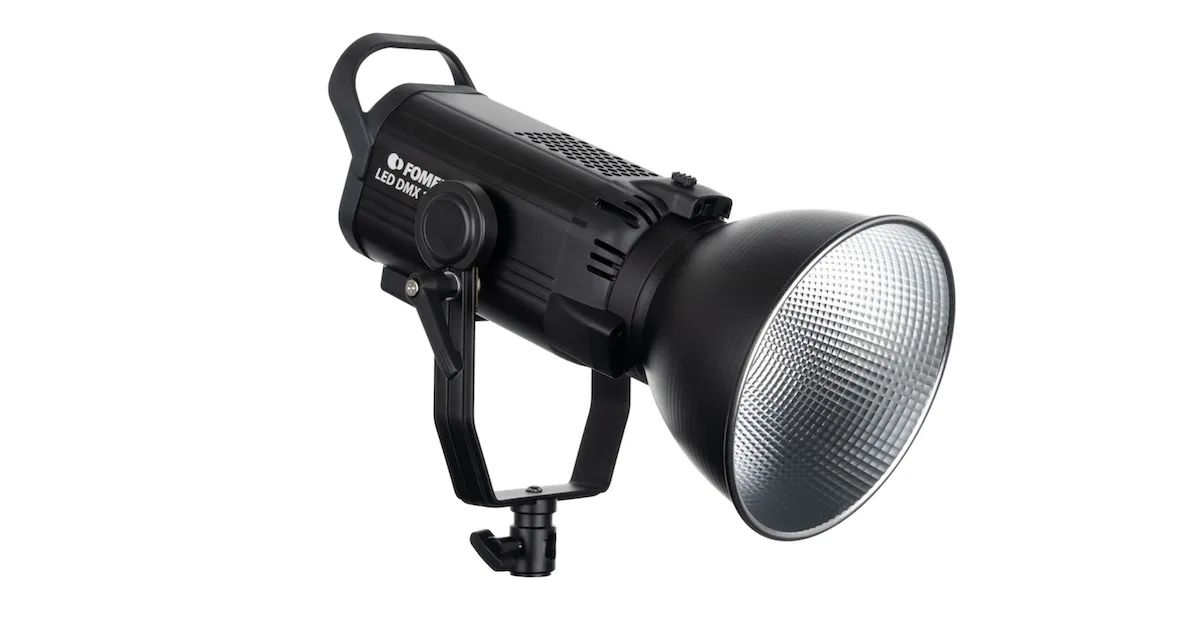
Az alábbi felhasználói kézikönyv áttekintést és használati utasításokat tartalmaz a FOMEI LED DMX 150B stúdióvilágítás PhotoRobot-tal történő üzemeltetéséhez. Ez az információ célja, hogy támogassa a PhotoRobot ügyfeleit a FOMEI LED DMX 150B sorozatú stúdióvilágítás kezdeti beállításában és első használatában.
Megjegyzés: Ez a felhasználói kézikönyv a gyártó hivatalos FOMEI LED DMX 150B dokumentációjának reprodukciója. A hivatalos dokumentációért lásd a FOMEI Lights & Photography weboldalt, és az első használat előtt olvassa el a készülékéhez mellékelt dokumentációt is.
Fontos: Üzembe helyezés előtt győződjön meg arról, hogy a termék sértetlen, és nincsenek hiányzó alkatrészek. Ne nyissa fel és ne javítsa meg az egységet saját maga. Ha bármilyen hiba merül fel, kérjük, forduljon közvetlenül a FOMEI-hez. A FOMEI termékek garanciális és karbantartási információiért tekintse meg az eszközéhez mellékelt dokumentációt.
A FOMEI LED DMX 150B Stúdiófényről
A LED DMX 150B sorozatú stúdiófény egy új, folyamatos fényű lámpa COB LED chippel. A Bowens rögzítésnek köszönhetően különféle kiegészítők csatlakoztathatók az eszközhöz. Maga a fény maximális 150W teljesítményt és 5600K színhőmérsékletet kínál. Kilenc különböző filmeffektust és fényvezérlést biztosít Bluetooth vagy DMX protokollon keresztül.
Termékáttekintés
Tekintse meg az alábbi infografikákat, amelyek az LED DMX 150B lámpa fő részeit és vezérlőit mutatják be. A fő komponensek a következők:
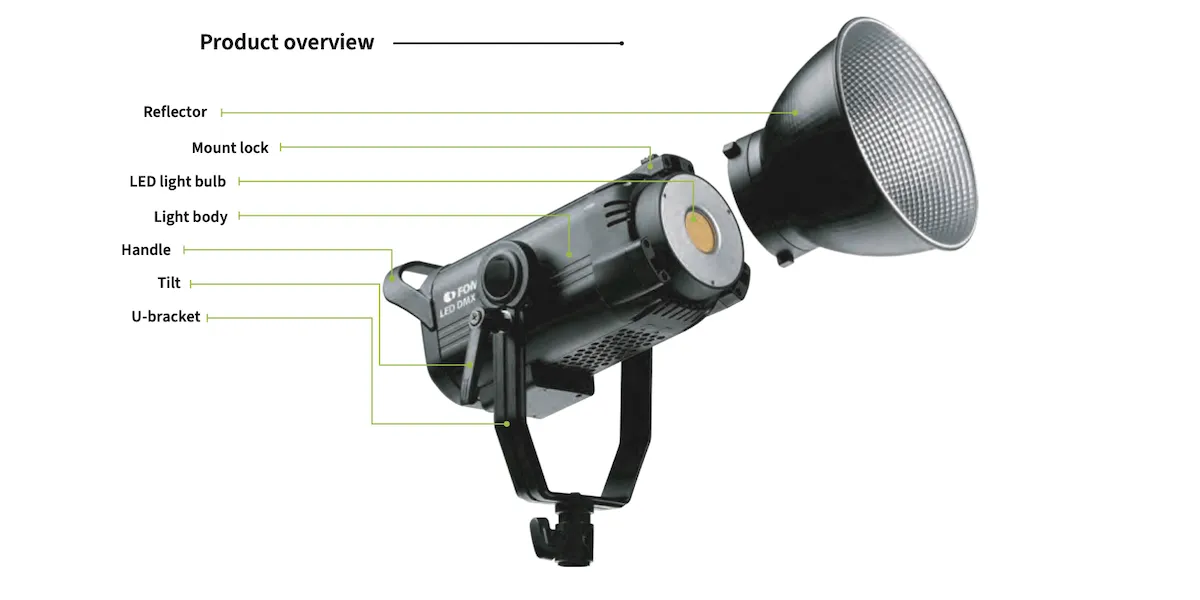
- Reflektor
- Rögzítőzár
- LED izzó
- Fogantyú
- Döntés
- U-konzol
A készülék hátulján találhatók a felhasználói vezérlők, a vezérlőfelület és a tápcsatlakozó:
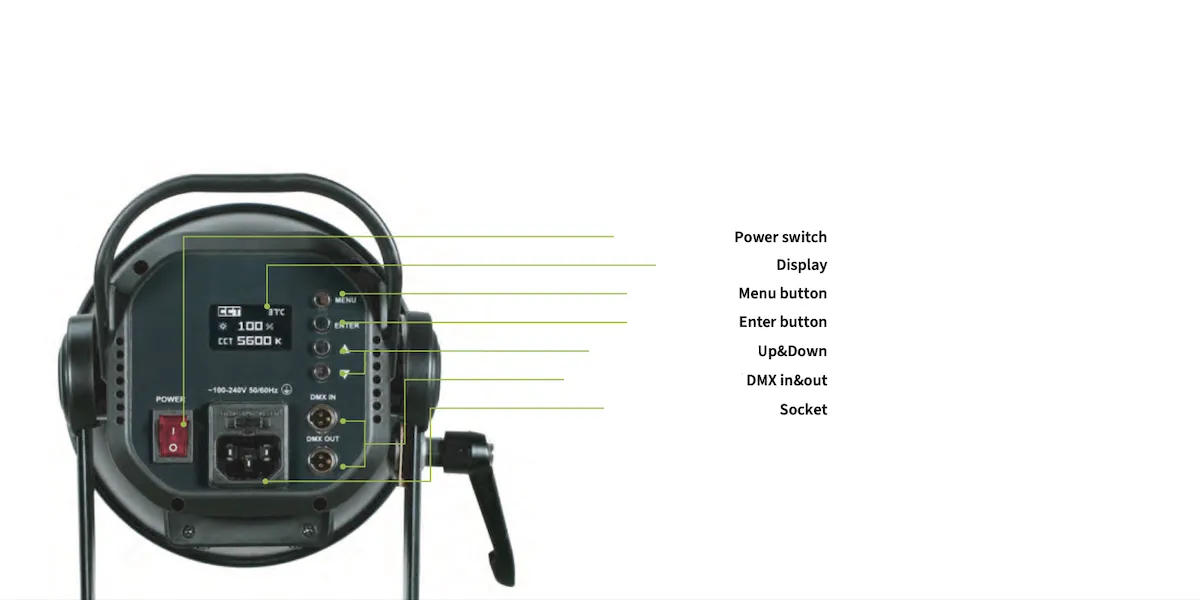
- Főkapcsoló
- Kijelző
- Menü gomb
- Fel & Le
- DMX be- és kimenet
- Foglalat
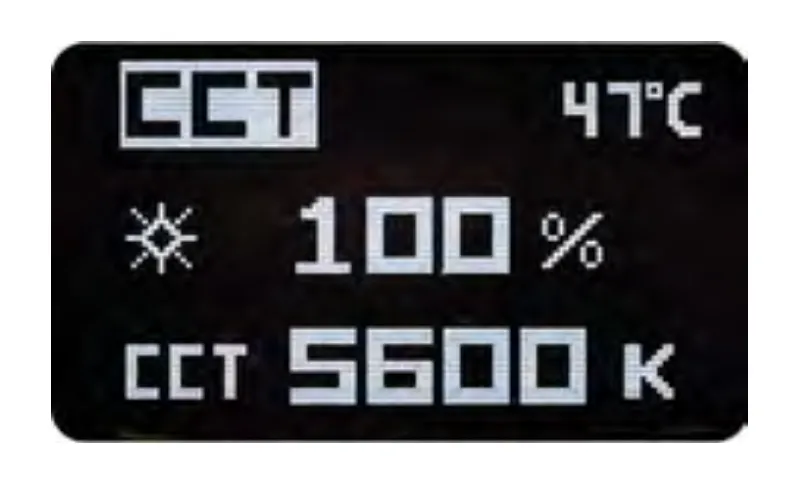
CCT mód
A lámpa bekapcsolása után a kijelzőn megjelenik az üdvözlőképernyő a CCT (Correlated Color Temperature) beállításokkal. Nyomja meg egyszer az ENTER gombot a paraméter kiválasztásához, majd nyomja meg az Up & Down gombokat a beállítások módosításához.
Jelenet mód
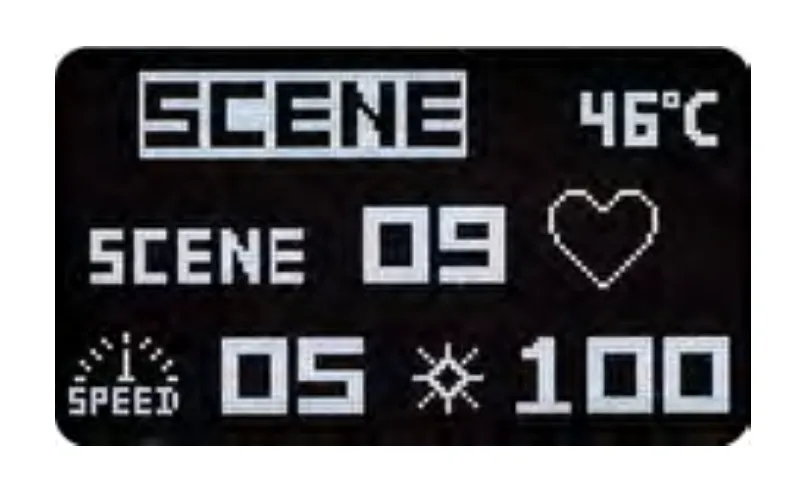
Nyomja meg a MENU gombot a jelenetmód beállításainak módosításához. Ezután nyomja meg az ENTER gombot a paraméter (effektus / sebesség / intenzitás) kiválasztásához, és használja a Fel & Le gombokat a beállítások módosításához.
DMX beállítások
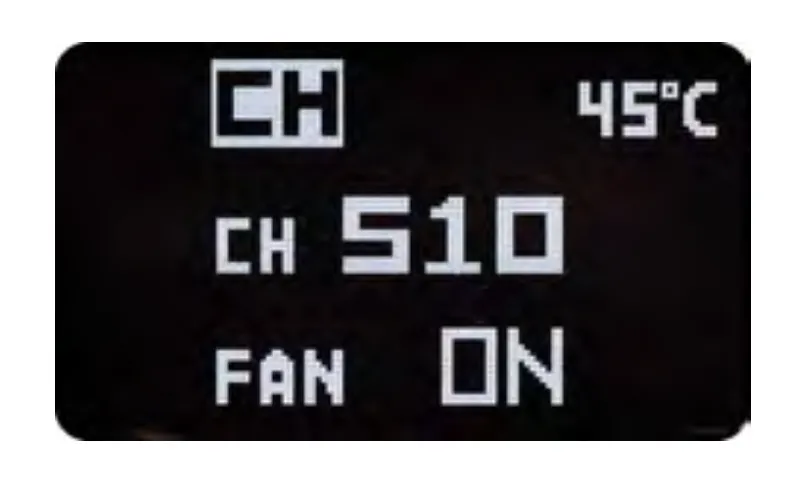
A DMX beállítások módosításához használja az ENTER gombot a paraméter (csatorna / ventilátor) kiválasztásához, és az Fel & Le gombokat a változtatások elvégzéséhez. Megjegyzés: Ha a ventilátor KI van kapcsolva, a maximális intenzitás 50%-ra korlátozódik.
BT visszaállítás
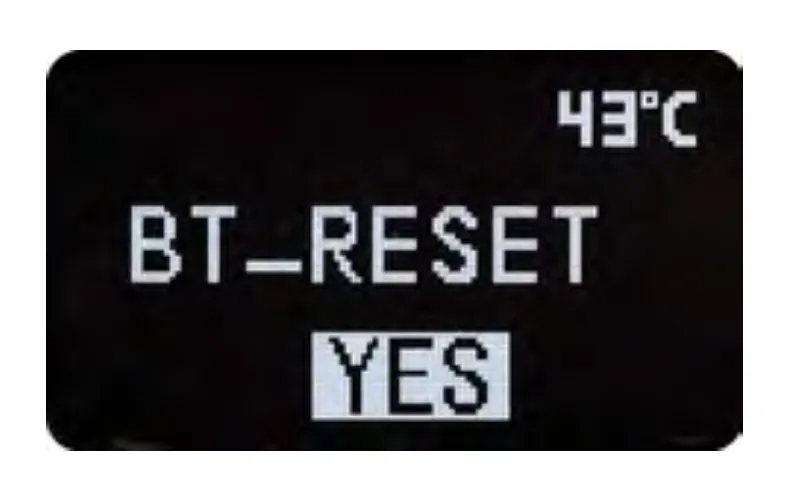
A BT Reset beállítások módosításához nyomja meg a MENU gombot, majd az ENTER gombot, és válassza ki a kérdőjelet („?”). Ezután nyomja meg a Le gombot a „YES” opció kiválasztásához. Amikor a „YES” opció eltűnik, a kapcsolat visszaállt.
FOMEI LED DMX 150B Specifikációk
A FOMEI LED DMX 150B stúdiófény specifikációi a következő táblázatban láthatók.
Vezeték nélküli vezérlőalkalmazás
A FOMEI LED DMX 150B stúdiófény vezeték nélküli vezérlése a DESAL Light + alkalmazáson keresztül történik iOS vagy Android rendszerre. Használja az alábbi QR-kódot az iOS vagy Android letöltésekhez, vagy keressen rá az „DESAL Light +” kifejezésre az Apple Store App store-ban az iOS-re történő letöltéshez.

Információs címkék
Vegye figyelembe, hogy az áthúzott kukát ábrázoló információs címke azt jelenti, hogy az Európai Unión belül a termék:
- Élettartama végén külön kell gyűjteni az alkalmazandó elektronikai hulladékra vonatkozó előírásoknak megfelelően.
- Ez vonatkozik az eszközre és minden ezzel a szimbólummal jelölt tartozékra.
- Ne dobja ki ezeket a termékeket válogatatlan települési hulladékként.

Végső megjegyzések
Lásd a gyártó weboldalát fomei.com a hivatalos FOMEI LED DMX 150B felhasználói kézikönyvért és a dokumentum letölthető PDF változatáért.


EOS Rebel sorozat


EOS DSLR sorozat


EOS M tükör nélküli sorozat


PowerShot sorozat


Közeli / Kézi

A Canon EOS Rebel sorozat kezdőbarát DSLR fényképezőgépeket kínál jó képminőséggel, intuitív kezelőszervekkel és sokoldalú funkciókkal. A fotózás szerelmeseinek ideális fényképezőgépek megbízható autofókuszt, változtatható szögű érintőképernyőket és Full HD vagy 4K videofelvételt biztosítanak.
Kapcsolat
Felbontás (MP)
Felbontás
A Canon EOS DSLR sorozat kiváló minőségű képeket, gyors autofókuszt és sokoldalúságot biztosít, így ideális fotózáshoz és videókészítéshez egyaránt.
Kapcsolat
Felbontás (MP)
Felbontás
A Canon EOS M tükör nélküli sorozat a kompakt kialakítást a DSLR-hez hasonló teljesítménnyel ötvözi. A cserélhető objektívekkel, gyors autofókusszal és kiváló minőségű képérzékelőkkel rendelkező kamerák kiválóan alkalmasak az utazók és a tartalomkészítők számára, akik a képminőség feláldozása nélkül keresik a hordozhatóságot.
Kapcsolat
Felbontás (MP)
Felbontás
A Canon PowerShot sorozat kompakt, felhasználóbarát fényképezőgépeket kínál az alkalmi fotósok és a rajongók számára. Az egyszerű point-and-shoot-tól a fejlett zoomkamerákig terjedő modellekkel kényelmet, stabil képminőséget és olyan funkciókat biztosítanak, mint a képstabilizálás és a 4K videó.
Kapcsolat
Felbontás (MP)
Felbontás
A Canon közeli és kézi kamerákat részletes, közeli fotózáshoz és videózáshoz tervezték. Kompakt és könnyen használható, precíziós fókuszt, nagy felbontású képalkotást és sokoldalú makrófunkciókat kínálnak – tökéletesek vlogoláshoz, termékfotózáshoz és kreatív közeli felvételekhez.
Kapcsolat
Felbontás (MP)
Felbontás


